01 / 20
Cover
Read page text
PROVA V1
Temperature verification slides
Proof for
every patient.
Verification
Interpretation
Documentation
B+B DIAGNOSTICS
PRODUCT GUIDE / IFU
Digital guide — scan the QR code to open this website.
The complete product guide: understand the check, read the indicators, and keep a traceable record.
PROVA V1
Temperature verification slides
Proof for
every patient.
Verification
Interpretation
Documentation
B+B DIAGNOSTICS
PRODUCT GUIDE / IFU
Digital guide — scan the QR code to open this website.
 U.S. Patent No. 10,431,126 B2
THE GUIDE
A clearer view
of verification.
Understand the check. Keep the evidence.
03
Why physical verification matters
04–05
The thermal path. The two thresholds.
06–08
Your instrument. Your required interval.
09–11
Prepare, load and run
12–14
Interpret results and respond
15–17
Document the check. Know the kit.
18–20
Answers, references and quick instructions
For trained laboratory personnel and the sales teams who support them.
 U.S. Patent No. 10,431,126 B2
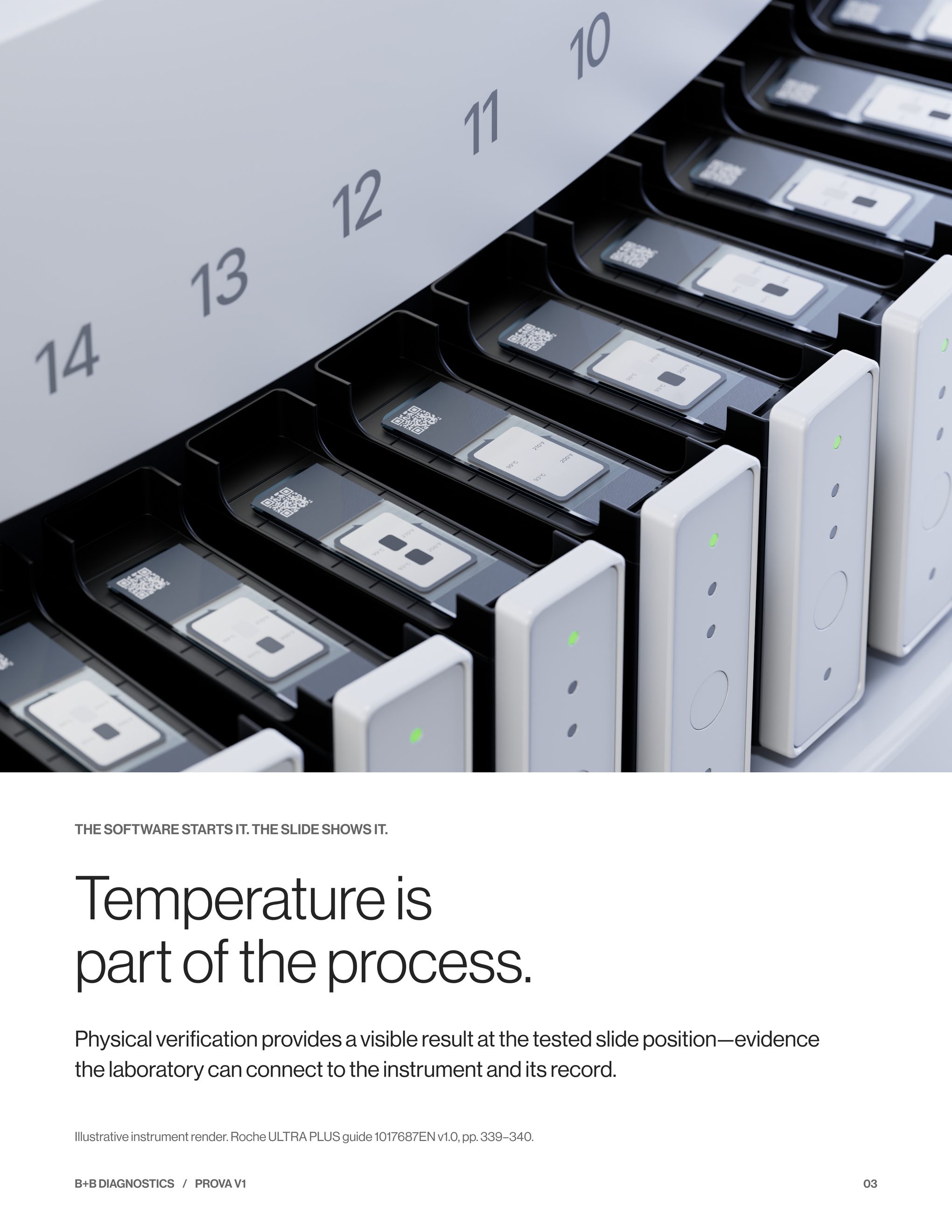
THE SOFTWARE STARTS IT. THE SLIDE SHOWS IT.
Temperature is
part of the process.
Physical verification provides a visible result at the tested slide position—evidence the laboratory can connect to the instrument and its record.
Illustrative instrument render. Roche ULTRA PLUS guide 1017687EN v1.0, pp. 339–340.
 U.S. Patent No. 10,431,126 B2
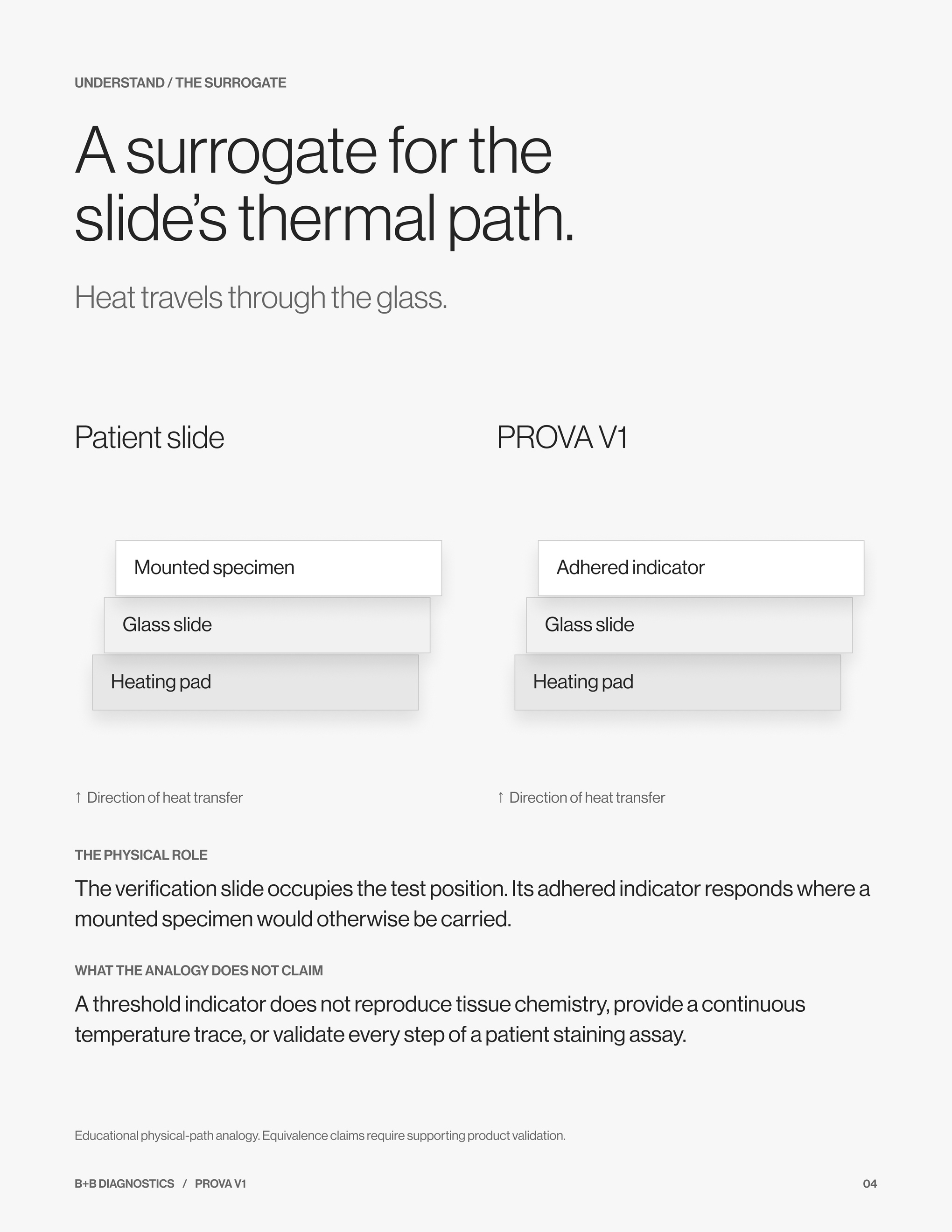
UNDERSTAND / THE SURROGATE
A surrogate for the
slide’s thermal path.
Heat travels through the glass.
Patient slide
Heating pad
Glass slide
Mounted specimen
↑ Direction of heat transfer
PROVA V1
Heating pad
Glass slide
Adhered indicator
↑ Direction of heat transfer
THE PHYSICAL ROLE
The verification slide occupies the test position. Its adhered indicator responds where a mounted specimen would otherwise be carried.
WHAT THE ANALOGY DOES NOT CLAIM
A threshold indicator does not reproduce tissue chemistry, provide a continuous temperature trace, or validate every step of a patient staining assay.
Educational physical-path analogy. Equivalence claims require supporting product validation.
 U.S. Patent No. 10,431,126 B2
KNOW THE PRODUCT
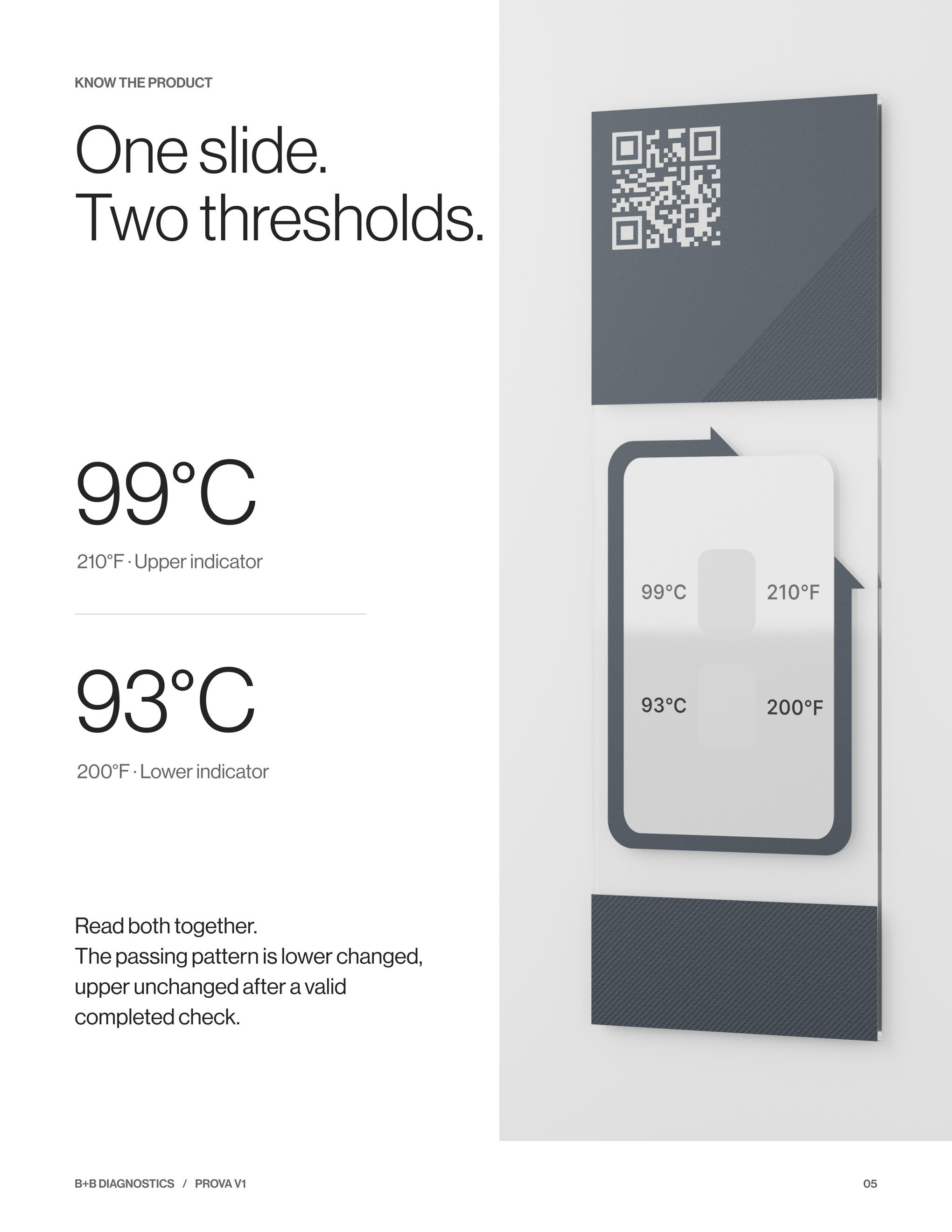
One slide.
Two thresholds.
99°C
210°F · Upper indicator
93°C
200°F · Lower indicator
Read both together.
The passing pattern is lower changed, upper unchanged after a valid completed check.
 U.S. Patent No. 10,431,126 B2
FIND YOUR INSTRUMENT
Know your
instrument.
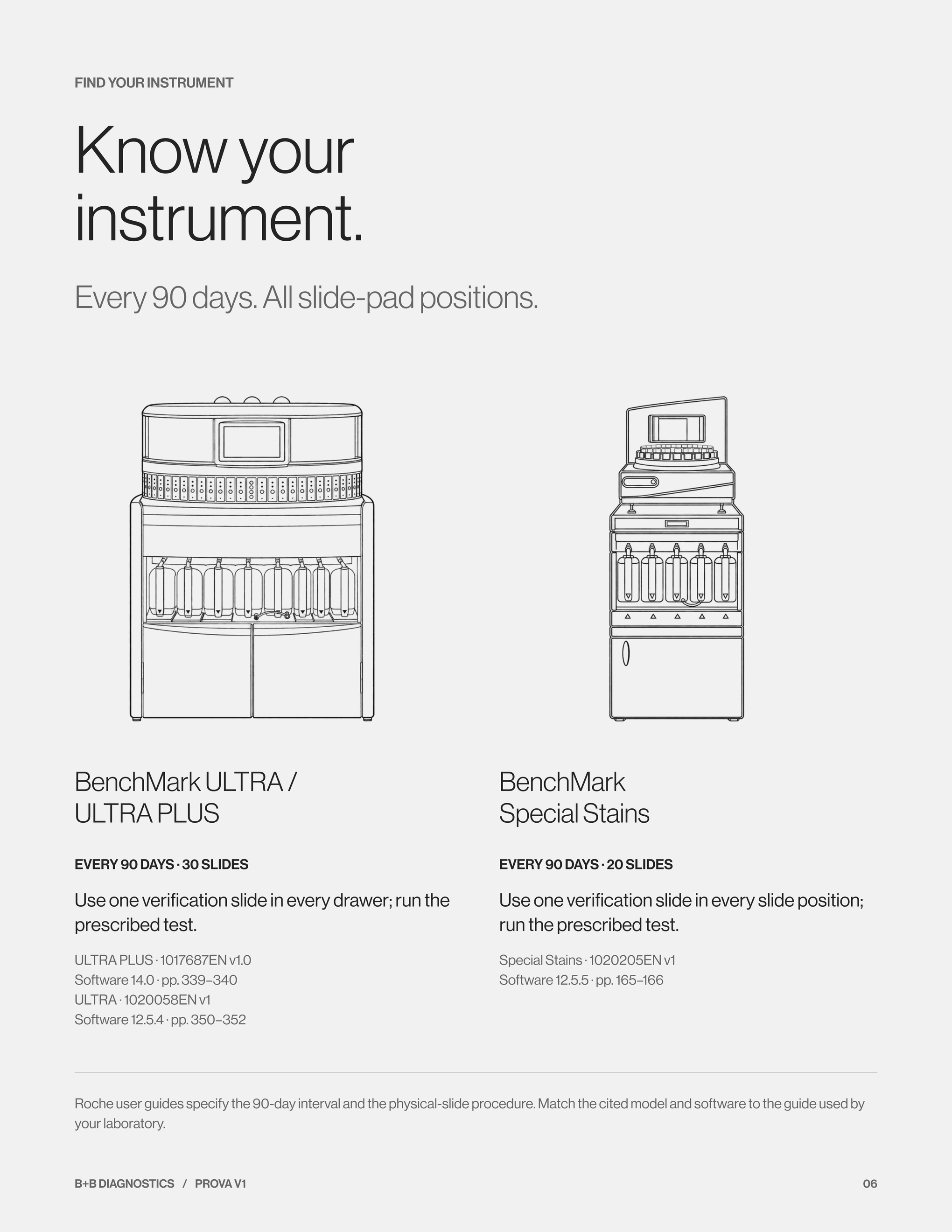
Every 90 days. All slide-pad positions.
BenchMark ULTRA /
ULTRA PLUS
BenchMark
Special Stains
Roche user guides specify the 90-day interval and the physical-slide procedure. Match the cited model and software to the guide used by your laboratory.
EVERY 90 DAYS · 30 SLIDES
Use one verification slide in every drawer; run the prescribed test.
ULTRA PLUS · 1017687EN v1.0
Software 14.0 · pp. 339–340
ULTRA · 1020058EN v1
Software 12.5.4 · pp. 350–352
EVERY 90 DAYS · 20 SLIDES
Use one verification slide in every slide position; run the prescribed test.
Special Stains · 1020205EN v1
Software 12.5.5 · pp. 165–166
 U.S. Patent No. 10,431,126 B2
FIND YOUR INSTRUMENT
Follow its
procedure.
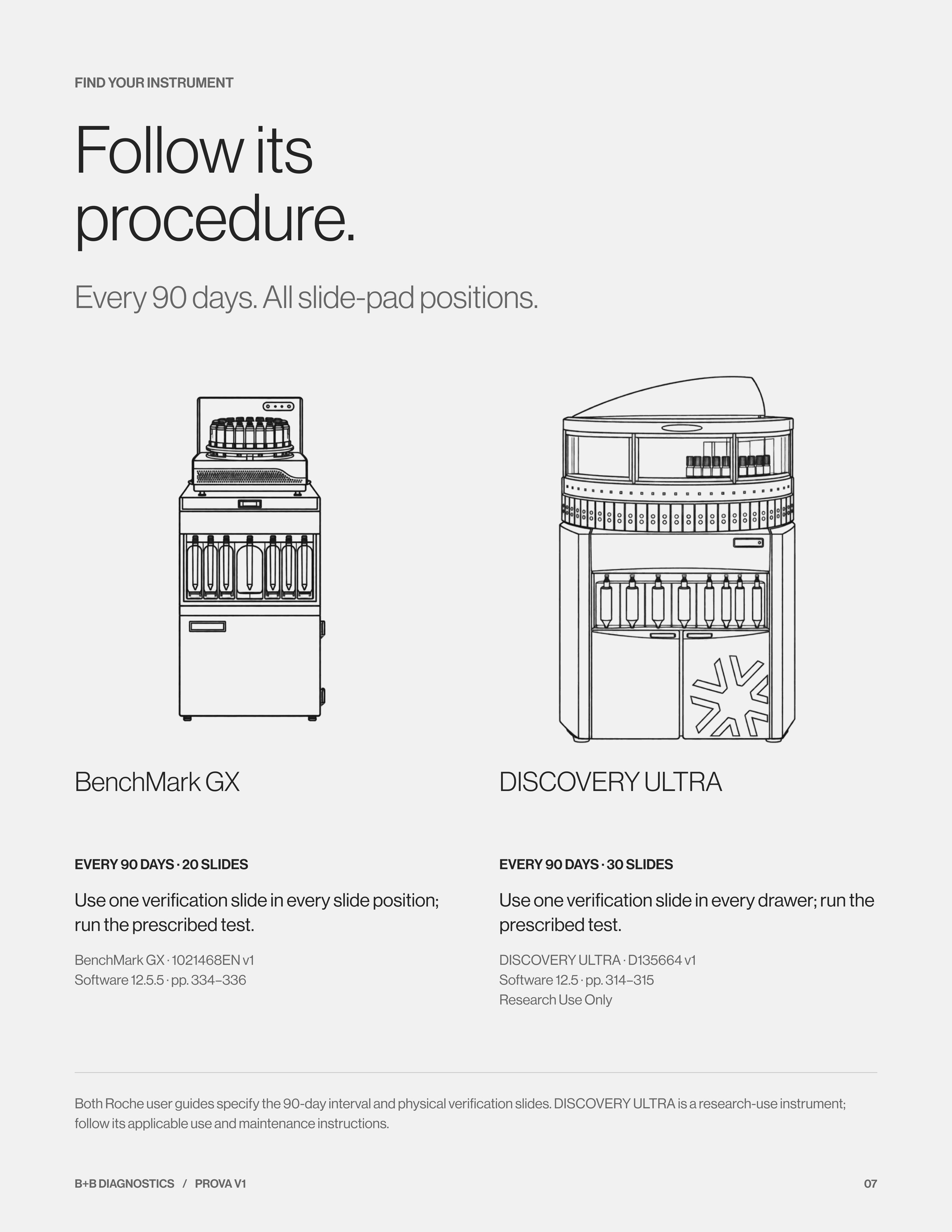
Every 90 days. All slide-pad positions.
BenchMark GX
DISCOVERY ULTRA
Both Roche user guides specify the 90-day interval and physical verification slides. DISCOVERY ULTRA is a research-use instrument; follow its applicable use and maintenance instructions.
EVERY 90 DAYS · 20 SLIDES
Use one verification slide in every slide position; run the prescribed test.
BenchMark GX · 1021468EN v1
Software 12.5.5 · pp. 334–336
EVERY 90 DAYS · 30 SLIDES
Use one verification slide in every drawer; run the prescribed test.
DISCOVERY ULTRA · D135664 v1
Software 12.5 · pp. 314–315
Research Use Only
 U.S. Patent No. 10,431,126 B2
REQUIREMENTS / MAINTENANCE & FUNCTION CHECKS
Every heating pad.
90
days
Between annual service visits.
●
Baseline
●
Day 90
●
Day 180
●
Day 270
●
Day 360
MANUFACTURER → CMS / CLIA → CAP
Manufacturer instructions define the method and interval. For clinical laboratories, CMS §493.1254(a) and CAP COM.30600 address documented checks at least as frequently as specified.
SCHEDULE FROM THE RECORD
The Roche guides cited on pages 6–7 specify every 90 days. Annual service does not cover checks due between visits; calendar quarters can exceed 90 days.
Sources: model-specific Roche guides, pp. 6–7 of this booklet; 42 CFR §493.1254(a); CAP COM.30600.
 U.S. Patent No. 10,431,126 B2
01 / PREPARE
Start with a
readable baseline.
INSPECT
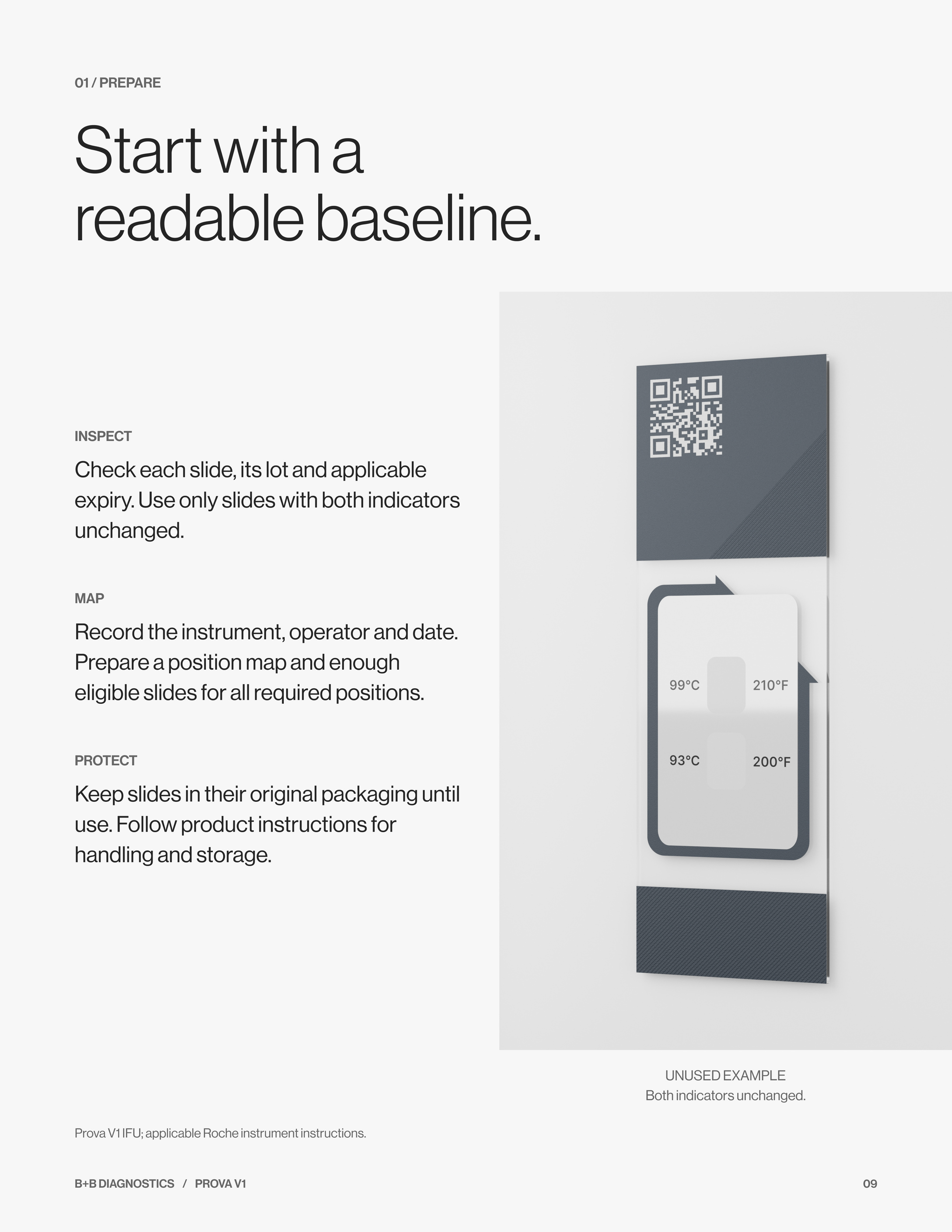
Check each slide, its lot and applicable expiry. Use only slides with both indicators unchanged.
MAP
Record the instrument, operator and date. Prepare a position map and enough eligible slides for all required positions.
PROTECT
Keep slides in their original packaging until use. Follow product instructions for handling and storage.
UNUSED EXAMPLE
Both indicators unchanged.
Prova V1 IFU; applicable Roche instrument instructions.
 U.S. Patent No. 10,431,126 B2
02 / LOAD
Every required position.
One traceable result.
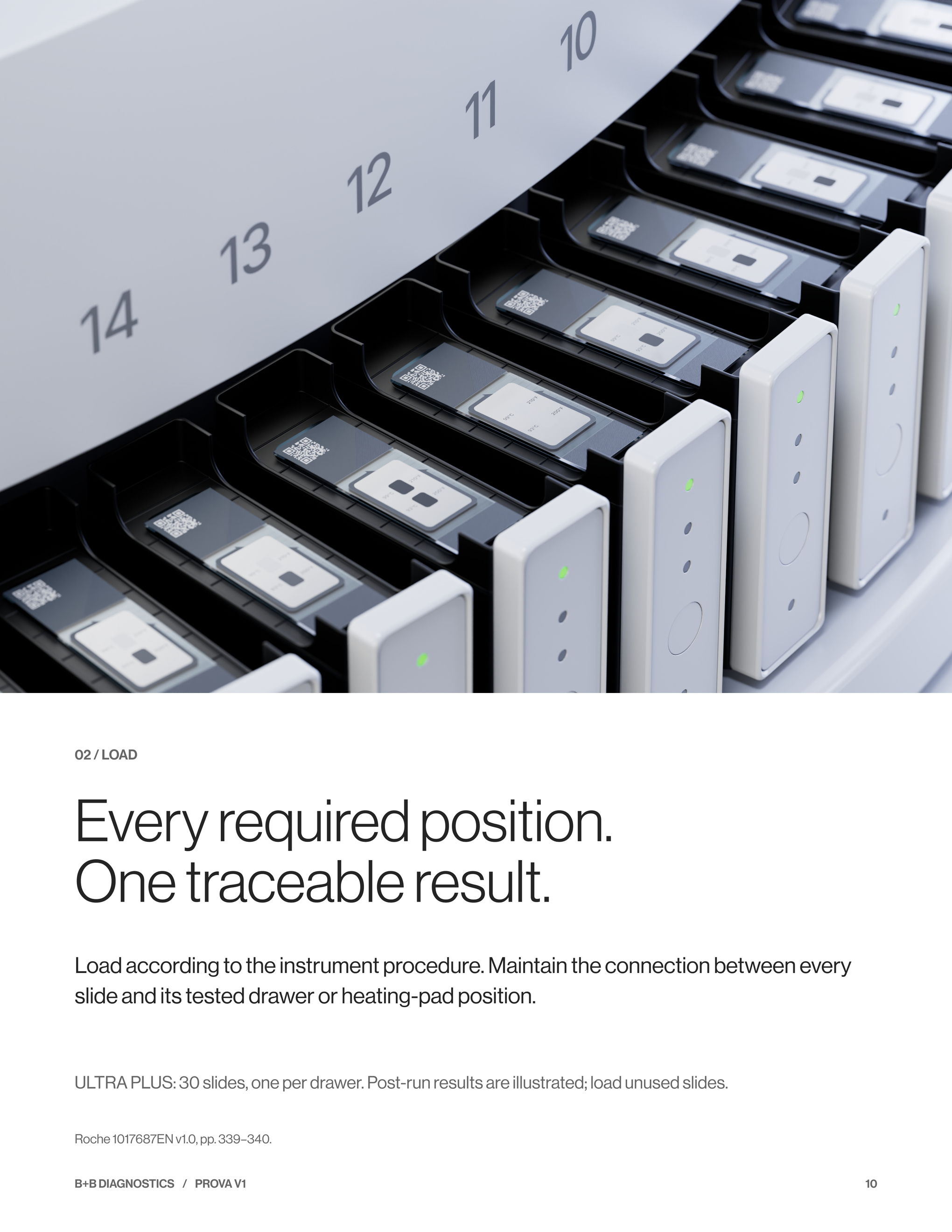
Load according to the instrument procedure. Maintain the connection between every slide and its tested drawer or heating-pad position.
ULTRA PLUS: 30 slides, one per drawer. Post-run results are illustrated; load unused slides.
Roche 1017687EN v1.0, pp. 339–340.
 U.S. Patent No. 10,431,126 B2
03 / RUN
Run the prescribed
verification cycle.
01
Select
Choose the specified temperature-verification test for the instrument and installed software.
02
Execute
Run the cycle with the physical verification slides loaded.
03
Cool
Allow the cycle and cooling to complete before handling or reading the slides.
04
Assess
Read the physical results and complete the required maintenance record.
95°C
10 minutes, followed by cooling
ULTRA PLUS software 14.0 example
Follow current model and software instructions. Roche 1017687EN v1.0, pp. 339–340.
 U.S. Patent No. 10,431,126 B2
04 / INTERPRET
Read the pattern.
Keep the position.
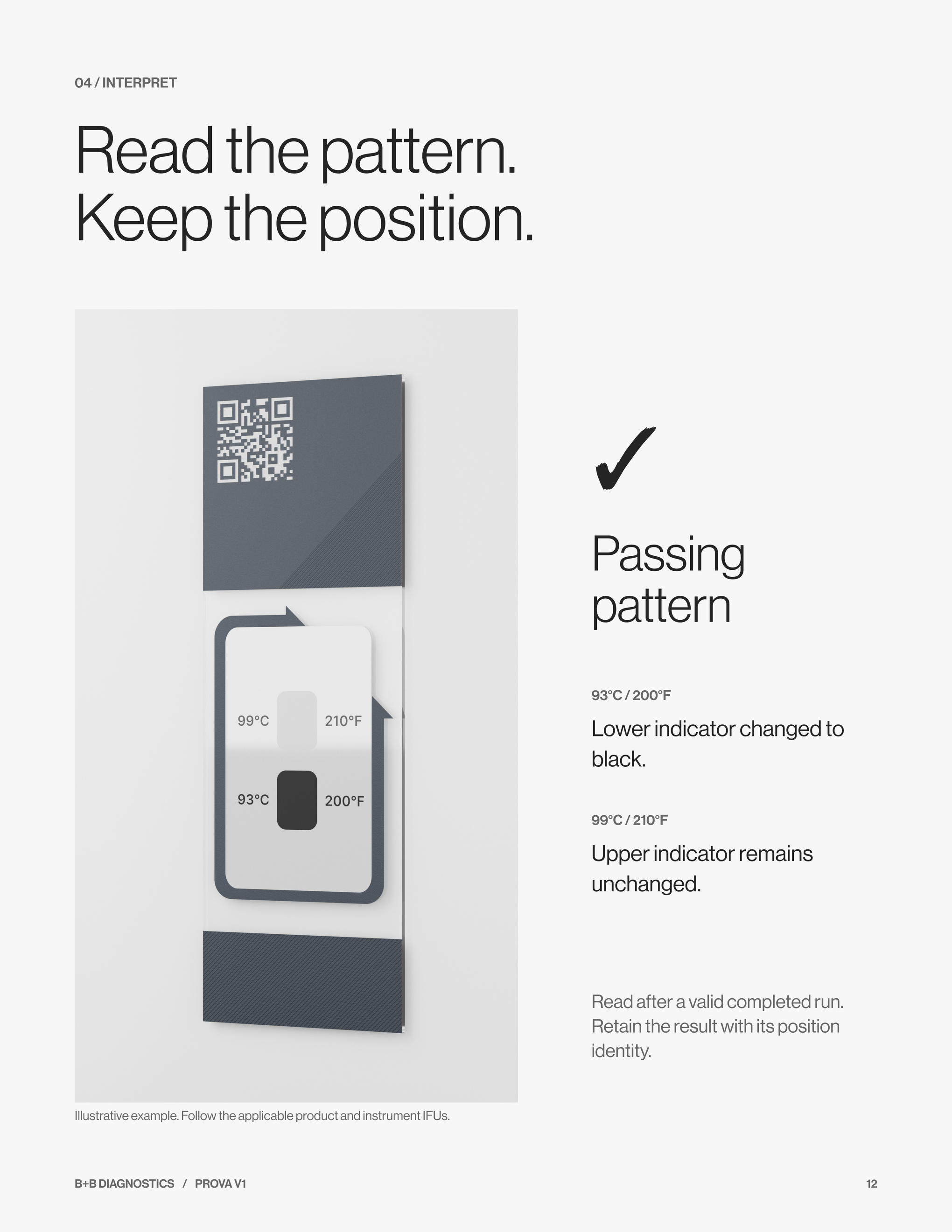
✓
Passing
pattern
93°C / 200°F
Lower indicator changed to black.
99°C / 210°F
Upper indicator remains unchanged.
Read after a valid completed run. Retain the result with its position identity.
Illustrative example. Follow the applicable product and instrument IFUs.
 U.S. Patent No. 10,431,126 B2
04 / FAILURE EXAMPLES
A pattern to
investigate.
Observe first. Diagnose with evidence.
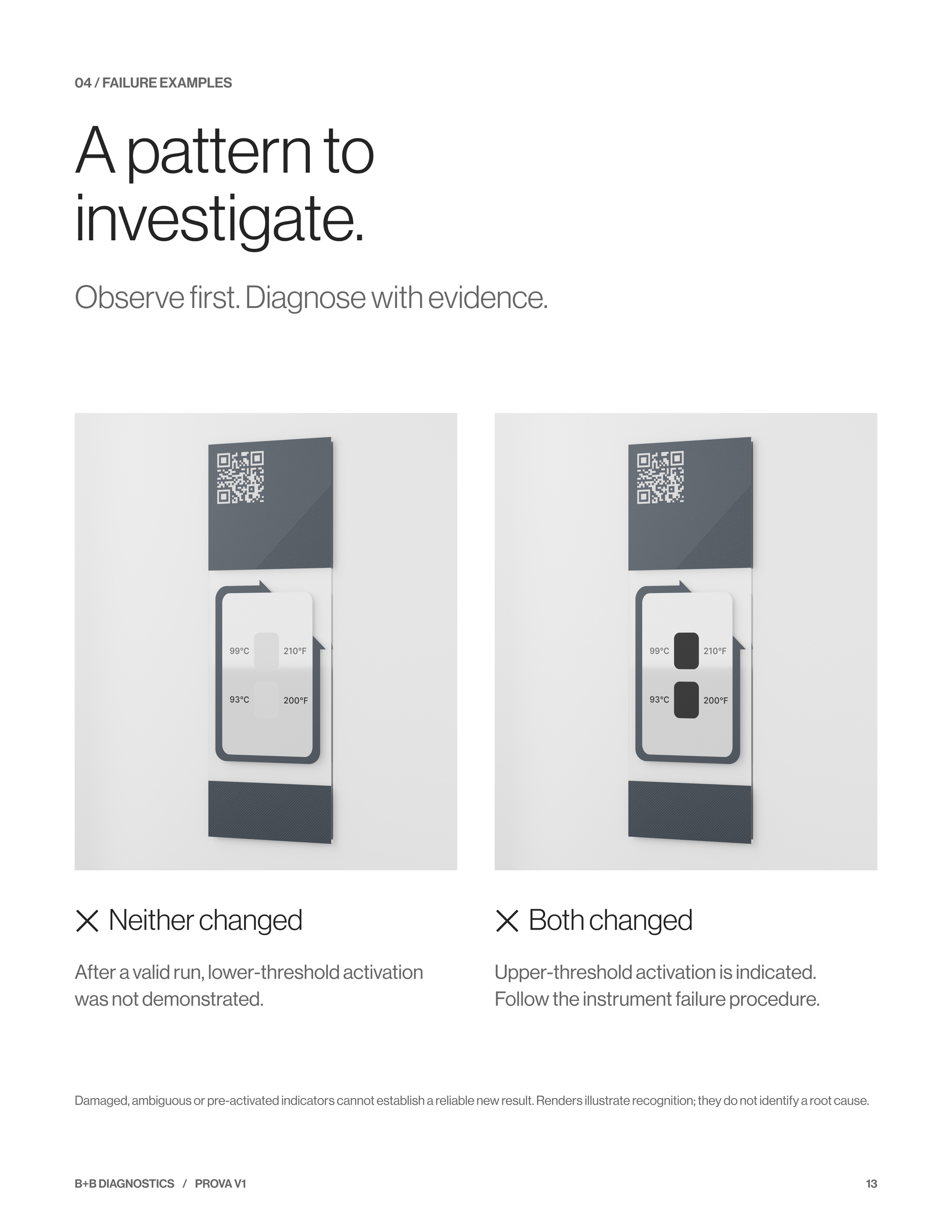
✕ Neither changed
After a valid run, lower-threshold activation was not demonstrated.
✕ Both changed
Upper-threshold activation is indicated. Follow the instrument failure procedure.
Damaged, ambiguous or pre-activated indicators cannot establish a reliable new result. Renders illustrate recognition; they do not identify a root cause.
 U.S. Patent No. 10,431,126 B2
05 / RESPOND
Record. Escalate.
Resolve.
01
Record
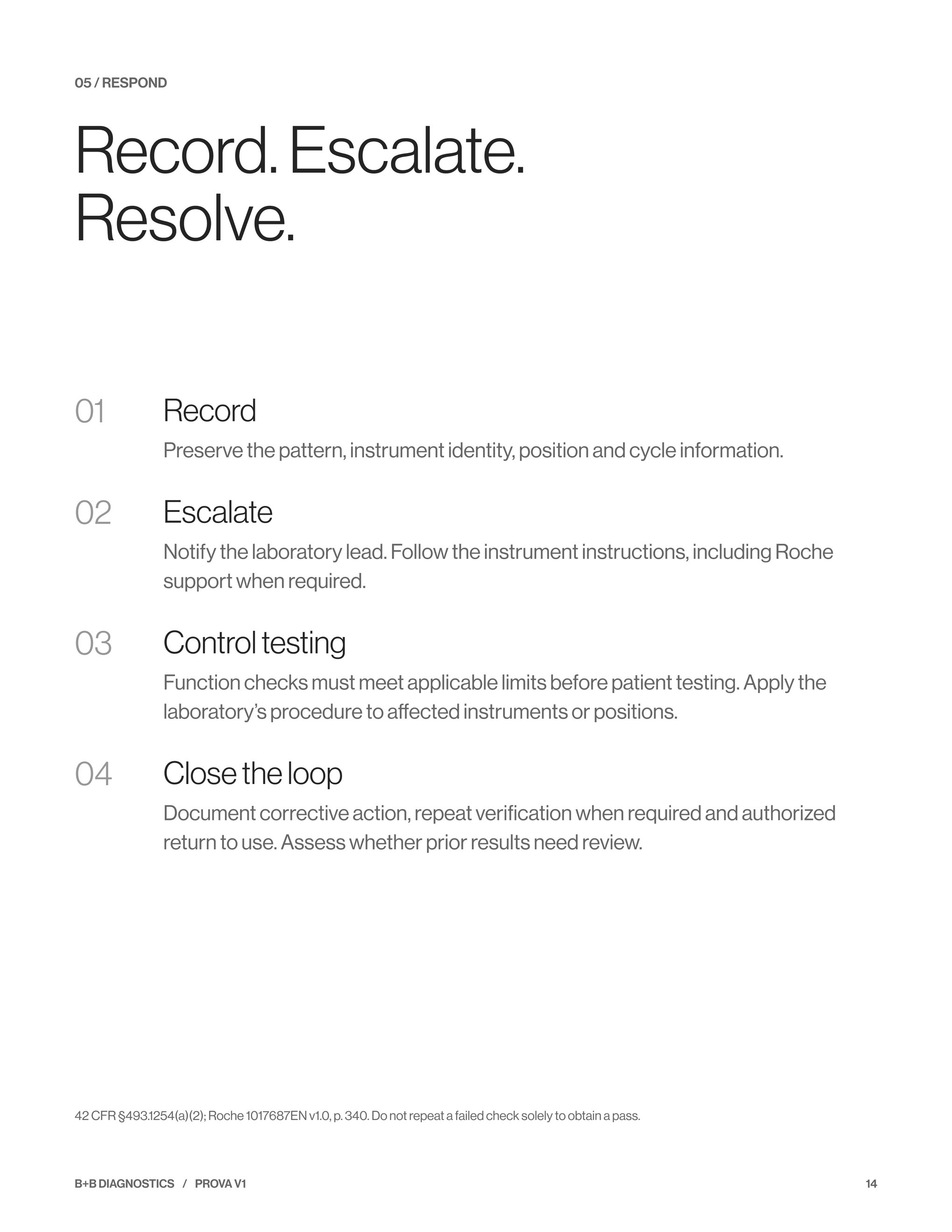
Preserve the pattern, instrument identity, position and cycle information.
02
Escalate
Notify the laboratory lead. Follow the instrument instructions, including Roche support when required.
03
Control testing
Function checks must meet applicable limits before patient testing. Apply the laboratory’s procedure to affected instruments or positions.
04
Close the loop
Document corrective action, repeat verification when required and authorized return to use. Assess whether prior results need review.
42 CFR §493.1254(a)(2); Roche 1017687EN v1.0, p. 340. Do not repeat a failed check solely to obtain a pass.
06 / DOCUMENT
Keep the evidence.
Keep the connection.
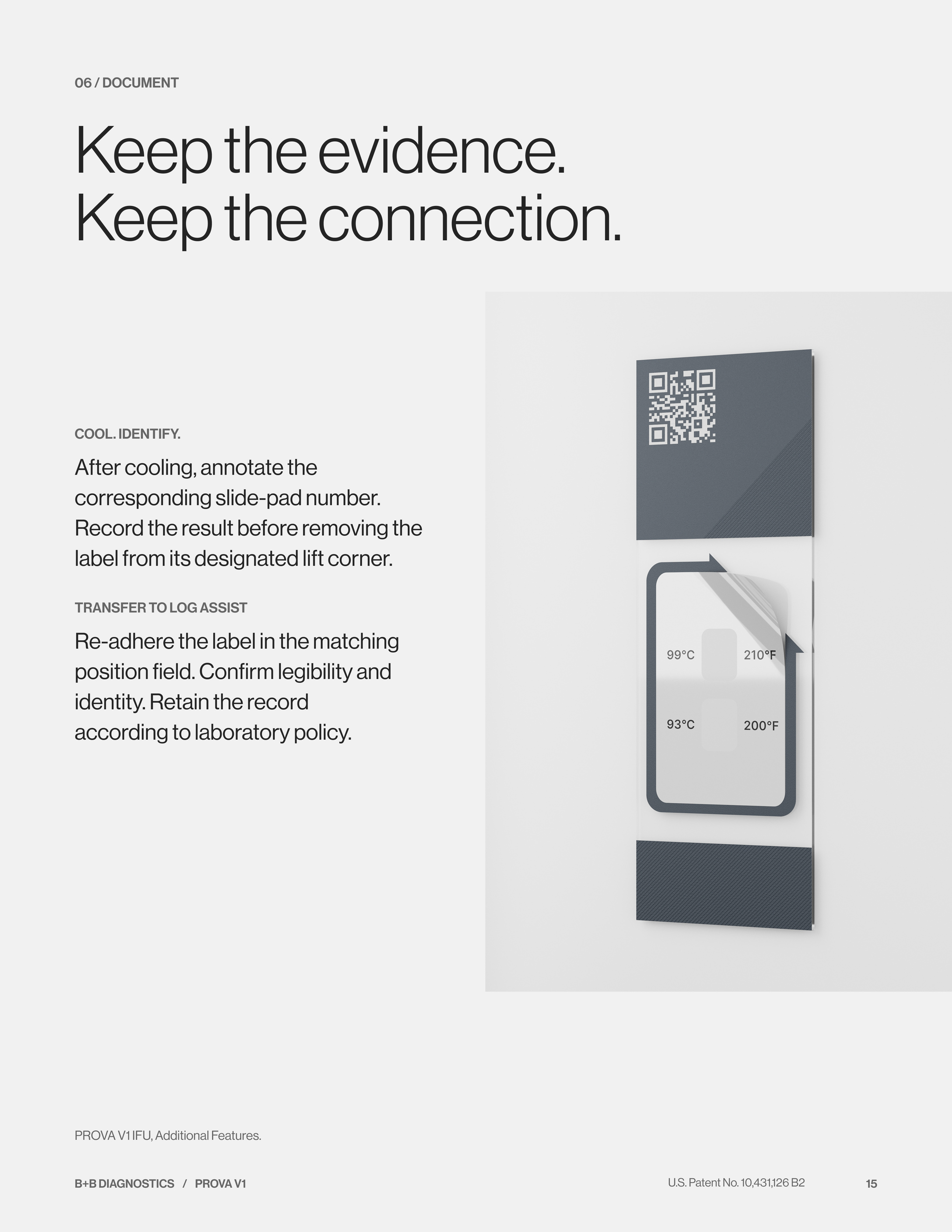
COOL. IDENTIFY.
After cooling, annotate the corresponding slide-pad number. Record the result before removing the label from its designated lift corner.
TRANSFER TO LOG ASSIST
Re-adhere the label in the matching position field. Confirm legibility and identity. Retain the record according to laboratory policy.
PROVA V1 IFU, Additional Features.
 U.S. Patent No. 10,431,126 B2
DOCUMENT / LOG ASSIST
A record worth
retrieving.
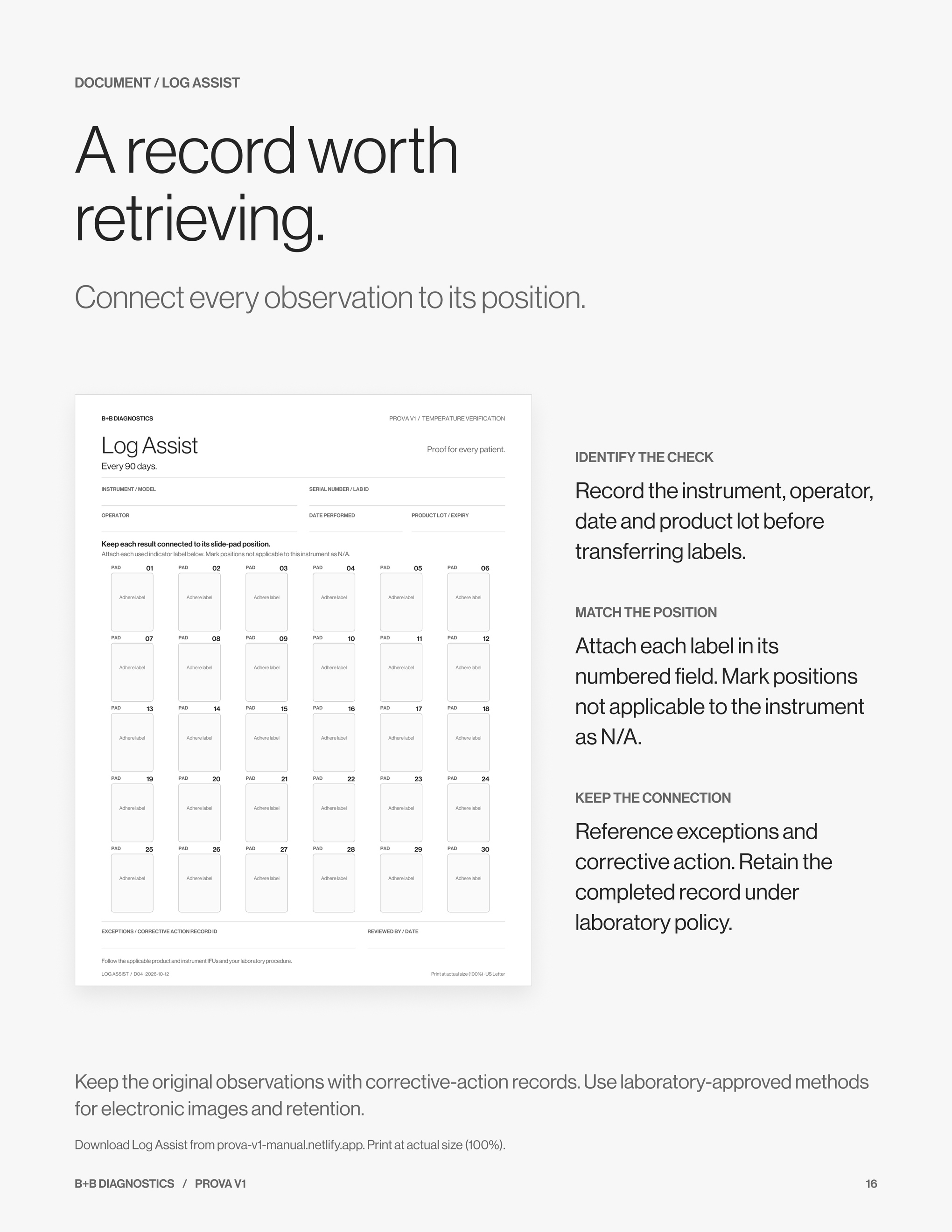
Connect every observation to its position.
Keep the original observations with corrective-action records. Use laboratory-approved methods for electronic images and retention.
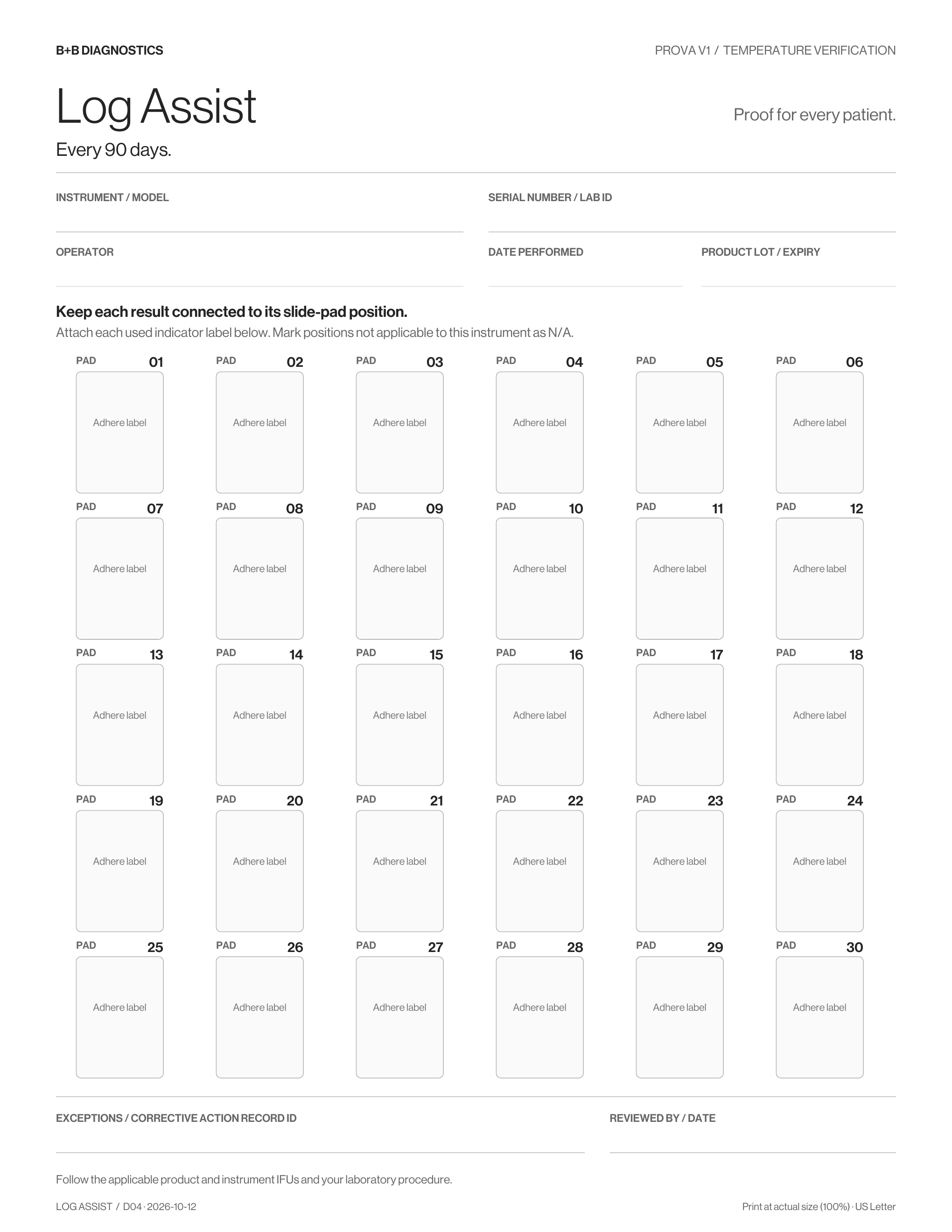
Download Log Assist from prova-v1-manual.netlify.app. Print at actual size (100%).
IDENTIFY THE CHECK
Record the instrument, operator, date and product lot before transferring labels.
MATCH THE POSITION
Attach each label in its numbered field. Mark positions not applicable to the instrument as N/A.
KEEP THE CONNECTION
Reference exceptions and corrective action. Retain the completed record under laboratory policy.
 U.S. Patent No. 10,431,126 B2
PROVA V1 / TEMPERATURE VERIFICATION SLIDES
Clear from the
first opening.
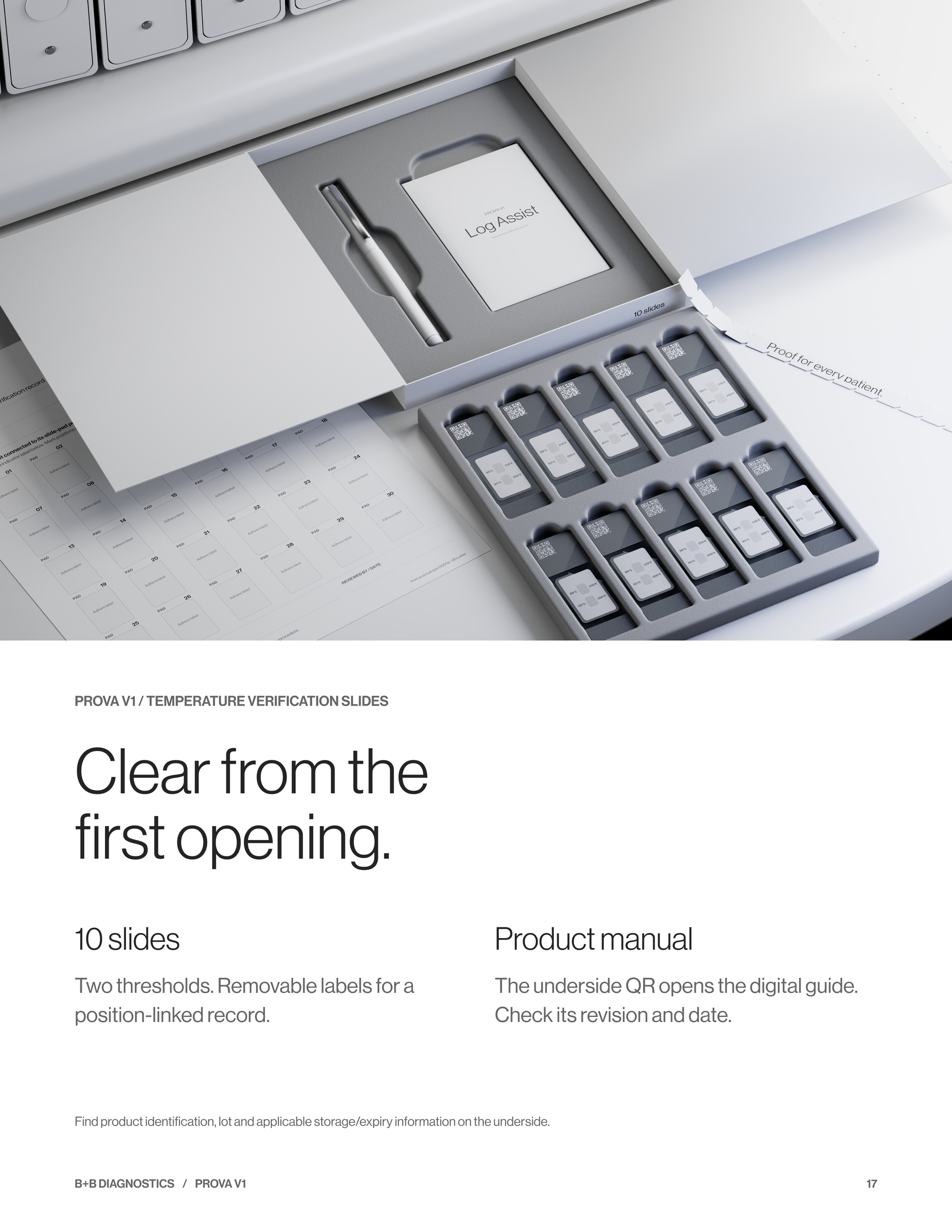
10 slides
Two thresholds. Removable labels for a position-linked record.
Product manual
The underside QR opens the digital guide. Check its revision and date.
Find product identification, lot and applicable storage/expiry information on the underside.
 U.S. Patent No. 10,431,126 B2
ANSWERS / FOR LABORATORIES & SALES TEAMS
The questions
worth asking.
IS SOFTWARE ENOUGH?
The software runs the cycle. Where the manufacturer specifies physical slides, the indicator response is part of the check.
DOES ANNUAL SERVICE COVER IT?
Only checks performed and documented at the required intervals meet that schedule. Follow the instrument instructions.
WHAT DOES A PASS TELL ME?
The indicators show the expected pattern after a valid check. It does not validate every step of a patient assay.
HOW MANY SLIDES DO WE NEED?
Count required positions across instruments and scheduled checks. Each PROVA V1 box contains 10 slides. Confirm the applicable configuration.
For ordering and technical questions, have the instrument model, software version and next due date available.
 U.S. Patent No. 10,431,126 B2
REFERENCES
Clear sources.
Clear scope.
01 / REGULATION
42 CFR §493.1254(a)(1)–(2); CMS interpretive guidance for maintenance and function checks.
02 / INSTRUMENT
Roche user guides, cited editions:
ULTRA PLUS · 1017687EN v1.0 · pp. 339–340
ULTRA · 1020058EN v1 · pp. 350–352
Special Stains · 1020205EN v1 · pp. 165–166
GX · 1021468EN v1 · pp. 334–336
DISCOVERY ULTRA · D135664 v1 · pp. 314–315
03 / ACCREDITATION
CAP All Common Checklist COM.30600, supplied December 26, 2024 edition. Verify against the laboratory’s current edition.
04 / PRODUCT
B+B Diagnostics, Prova V1 Instructions for Use and Log Assist.
Manufacturer instructions define the required check. CMS and CAP do not endorse the PROVA brand. Third-party names identify instruments and ordering channels, not sponsorship.
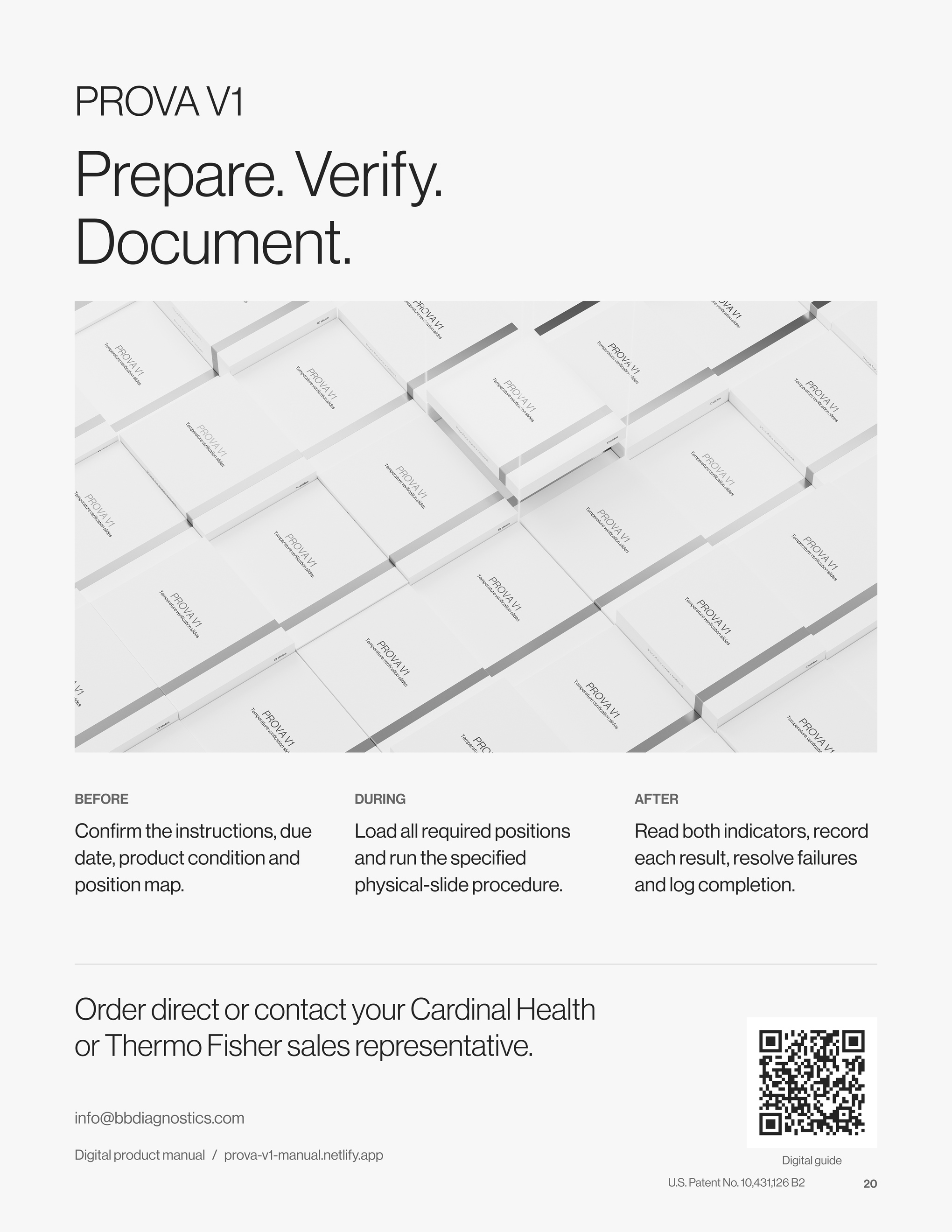
PROVA V1
Prepare. Verify.
Document.
BEFORE
Confirm the instructions, due date, product condition and position map.
DURING
Load all required positions and run the specified physical-slide procedure.
AFTER
Read both indicators, record each result, resolve failures and log completion.
Order direct or contact your Cardinal Health
or Thermo Fisher sales representative.
info@bbdiagnostics.com
Digital product manual / prova-v1-manual.netlify.app
Digital guide — scan the QR code to open this website.
Log Assist connects each indicator label to its slide-pad position. Record the instrument, operator, date and product lot, then retain the completed sheet with any corrective-action records.
Order direct or contact your Cardinal Health or Thermo Fisher sales representative.